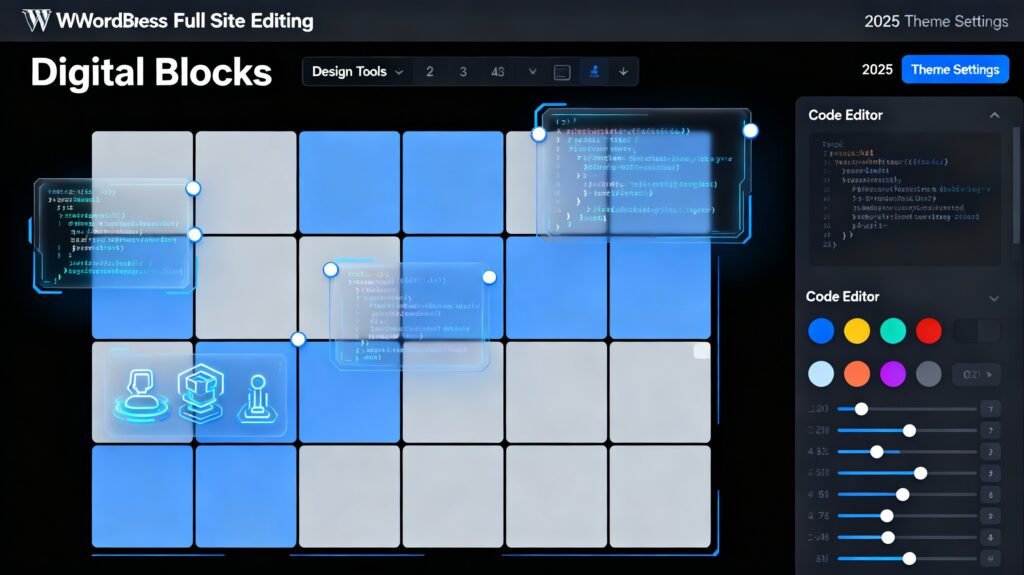
WordPress has transformed dramatically since its early days as a simple blogging platform. In 2025, the introduction and maturation of Full Site Editing (FSE) and block themes represent the most significant shift in how we build and design WordPress websites. If you’re a business owner, designer, or developer, understanding these tools isn’t just beneficial—it’s essential for staying competitive in today’s web development landscape.
Full Site Editing allows you to customize every part of your website using the same intuitive drag-and-drop interface you use for creating posts. From headers and footers to 404 pages and archive layouts, everything becomes editable through blocks, eliminating the need for complex PHP coding or custom theme development. This comprehensive guide explores why block themes and FSE are revolutionizing WordPress design and how you can leverage them for your projects.
What is Full Site Editing in WordPress? WordPress Full Site Editin
Full Site Editing is a comprehensive design system introduced fully in WordPress 5.9 that extends the block editor’s functionality across your entire website. Unlike traditional WordPress themes that require PHP knowledge to modify template files, FSE lets you visually customize all aspects of your site through an intuitive interface.
The system comprises several interconnected components that work together seamlessly. The Site Editor provides a visual interface for editing templates and theme parts, replacing the old theme customizer with a more powerful alternative. Template Parts are reusable sections like headers, footers, and sidebars built entirely with blocks that you can modify once and apply across your entire site. Global Styles offer a centralized system for managing site-wide design elements such as colors, typography, spacing, and layout settings through either a graphical interface or a theme.json configuration file. Finally, Block Patterns provide pre-arranged sets of blocks that function as design shortcuts, allowing you to insert complex layouts with a single click.WordPress Full Site Editin
This fundamental shift means that what once required a developer can now be accomplished by content creators and business owners with no coding experience. However, it also opens new possibilities for developers to create more flexible, user-friendly themes and custom blocks. WordPress Full Site Editin
Understanding Block Themes
Block themes are specifically designed WordPress themes built to work with Full Site Editing. Unlike traditional “classic” themes that rely heavily on PHP template files, block themes use HTML files containing block markup to define templates and template parts, WordPress Full Site Editing WordPress Full Site Editin
Every default WordPress theme since Twenty Twenty-Two has been a block theme, showcasing the platform’s commitment to this new architecture. These themes include Twenty Twenty-Three and the latest Twenty Twenty-Four, each demonstrating increasingly sophisticated capabilities of the FSE system.
The technical architecture of block themes differs significantly from their predecessors. Instead of PHP template files, block themes use HTML files stored in the templates folder. These files contain block markup (HTML comments like
Block themes automatically enable several theme support features that previously required manual declaration, including post thumbnails, editor styles, responsive embeds, automatic feed links, and HTML5 support for styles and scripts. This streamlined approach reduces boilerplate code and ensures consistency across themes WordPress Full Site Editin
For developers, block themes offer unprecedented flexibility in how themes are structured and customized. For users, they provide an intuitive interface for creating professional designs without touching code.WordPress Full Site Editin
Key Advantages of Full Site Editing.WordPress Full Site Editin
The shift to Full Site Editing brings numerous benefits that address longstanding pain points in WordPress development and design.
Complete Design Control stands as the most significant advantage. You can now customize headers, footers, archive pages, 404 error pages, and every other template type through the visual editor. This means you’re no longer limited by theme designer decisions or forced to hire developers for simple layout changes.
Unified Editing Experience creates consistency across your workflow. Whether you’re editing a blog post, creating a landing page, or modifying your site’s header, you use the same familiar block editor interface. This reduces the learning curve and improves efficiency, especially for teams where multiple people manage website content.
Global Styles System revolutionizes how design consistency is maintained. Instead of hunting through multiple customizer panels or editing CSS files, you can define site-wide styles in one centralized location. Changes to typography, colors, or spacing automatically propagate across your entire site, ensuring visual consistency and dramatically reducing design maintenance time.
Template Part Reusability eliminates redundant work. Create a header once, and it appears on every page where that template is used. Need to update your footer? Edit it in one place, and the change applies site-wide instantly. This efficiency is particularly valuable for businesses managing large websites or multiple client projects.
Block Patterns accelerate the design process by providing professionally designed, pre-built layout sections. Instead of building complex layouts from scratch, you can insert patterns and customize them to fit your needs. This speeds up development while maintaining design quality, particularly beneficial for agencies working under tight deadlines.
Reduced Dependency on Developers democratizes website customization. Tasks that previously required hiring a developer—like changing header layouts or creating custom archive pages—can now be accomplished by anyone with basic WordPress knowledge. This reduces costs for businesses and empowers content creators to implement their vision without technical barriers.
How to Get Started with Block Themes.WordPress Full Site Editin
Beginning your FSE journey requires just a few straightforward steps, though understanding best practices will help you avoid common pitfalls.
Choose the Right Block Theme for your project. As of 2025, thousands of block themes are available, both free and premium. The WordPress community site fullsiteediting.com maintains a curated list of quality block themes tested by users. When selecting a theme, prioritize those that support global styles, include diverse block patterns, offer responsive layouts, and demonstrate good performance through theme.json optimization.
Popular free options include Ollie, which provides minimalist designs perfect for portfolios and agencies; Frost, offering clean layouts suitable for businesses; Blockbase, designed as a foundation for customization; and the Twenty Twenty-Four default theme, which showcases the latest FSE capabilities.
Access the Site Editor once you’ve activated a block theme. Navigate to Appearance → Editor in your WordPress dashboard. This opens the Site Editor interface, which looks similar to the post editor but includes additional options for managing templates and template parts. WordPress Full Site Editin
Explore Templates and Template Parts to understand your site’s structure. Templates define layouts for different content types—single posts, pages, archives, search results, and more. Template parts are reusable components like headers and footers that appear across multiple templates. Understanding this hierarchy helps you make efficient changes that affect multiple pages simultaneously.
Customize Global Styles to establish your brand identity. Click the Styles icon in the Site Editor to access typography, color palettes, layout spacing, and other design elements. These settings apply site-wide unless overridden at the template or block level, giving you flexible control over design consistency.
Experiment with Block Patterns to accelerate your design process. The patterns library contains pre-designed sections for heroes, feature grids, testimonials, call-to-action sections, and more. Insert patterns and customize them to match your content and brand, saving hours compared to building layouts from scratch.
Creating Custom Block Themes
For developers and advanced users, creating custom block themes opens unlimited design possibilities while leveraging FSE’s powerful infrastructure.
The Basic Workflow for creating block themes has been streamlined significantly. Install the Create Block Theme plugin, which provides tools for exporting and managing block themes. Create a blank theme from the plugin options to start with a clean foundation. Design your site using the Site Editor, adding color palettes, fonts, templates, and patterns. Export your changes to a theme ZIP file through the plugin. Tweak theme files in your code editor for fine-tuning and optimization. Repeat this cycle as you iterate on your design.
Essential File Structure for block themes differs from classic themes. The style.css file header remains similar to traditional themes, with the theme name being the only required field. The theme.json configuration file serves as the central control system, defining settings and styles for blocks. The templates folder contains HTML files for different page types (index.html, single.html, page.html, archive.html, etc.). The parts folder houses reusable template parts like header.html and footer.html.
Understanding theme.json is crucial for block theme development. This configuration file uses JSON format to define version (currently version 3), settings that control available options in the editor, styles that apply visual design to blocks, and custom template definitions. The layout setting specifies contentSize (default content width) and wideSize (wide alignment width), providing precise control over content presentation.
Best Practices for Custom Block Themes include defining a clear design system with consistent naming conventions. Create intuitive custom blocks with descriptive names and documentation. Test thoroughly across different content types and viewport sizes. Optimize performance by minimizing theme.json complexity and leveraging WordPress’s built-in optimization features. Maintain compatibility by following WordPress coding standards and testing with the latest WordPress versions.
Block Themes vs Page Builders

One of the most common questions in 2025 is how FSE and block themes compare to popular page builders like Elementor, Beaver Builder, and Divi.
Native Integration gives FSE a fundamental advantage. Block themes are built into WordPress core, requiring no additional plugins. This means faster loading times, better security, no licensing costs, and guaranteed long-term compatibility with WordPress updates. Page builders, while powerful, add complexity and potential performance overhead through additional JavaScript and CSS.
Performance Considerations increasingly favor block themes. Because FSE is part of WordPress core, it’s optimized for speed and efficiency. Page builders often load significant resources on every page, even for simple layouts, potentially impacting site speed and user experience. As Core Web Vitals become more critical for SEO, the performance advantage of block themes becomes more significant.
Learning Curve differs between approaches. Page builders offer visual interfaces that feel immediately familiar to users coming from other design tools. FSE requires understanding blocks and the Site Editor, which can feel different initially. However, once learned, FSE’s unified interface is often more intuitive since the same editing paradigm applies everywhere.
Flexibility and Control represent areas where both approaches excel in different ways. Page builders typically offer more visual widgets and pre-built elements out of the box. Block themes provide deeper integration with WordPress core features and more architectural flexibility. For developers, block themes offer cleaner code and better extensibility.
Vendor Lock-in is a critical consideration. Sites built with page builders often face challenges if you need to change themes or disable the builder plugin. Content created with page builder shortcodes or proprietary formats doesn’t easily migrate. Block themes use standard WordPress blocks, making content portable and future-proof.
The Verdict depends on your specific needs. For new projects starting in 2025, block themes and FSE offer compelling advantages in performance, cost, and long-term sustainability. For existing sites with significant investment in a page builder ecosystem, migrating may not be immediately practical. Many hybrid themes now support both traditional editing and FSE, providing migration paths for sites transitioning from older WordPress installations.
Practical Applications and Use Cases
Understanding how block themes and FSE work in real-world scenarios helps illustrate their practical value.
Business Websites benefit enormously from FSE’s flexibility. Create custom homepage layouts showcasing services, build dedicated landing pages for marketing campaigns, design service pages with consistent branding, implement custom contact page layouts, and manage team member directories—all without touching code. Global styles ensure brand consistency across every page, while template parts keep headers, footers, and navigation synchronized.
E-commerce Sites leverage FSE to create shopping experiences that match brand identity. Custom product page layouts highlight product features, archive templates organize product categories effectively, shopping cart and checkout pages integrate seamlessly with site design, promotional banners update globally across the site, and seasonal design changes implement quickly through global styles.
Portfolio and Agency Sites showcase work through FSE’s design flexibility. Project showcase templates highlight work samples, case study layouts tell client success stories, team member profiles build credibility, testimonial sections leverage block patterns, and blog integrations share insights and expertise. The visual editing capabilities ensure your portfolio looks exactly how you envision it without developer assistance.
Membership and Community Sites use FSE to create distinct experiences for different user types. Custom archive templates organize community content, member directory pages facilitate connections, forum integration designs enhance user experience, dashboard templates provide personalized views, and login and registration pages match site branding.
Multi-language and Regional Sites benefit from FSE’s flexible template system. Create region-specific headers and footers, design language-specific landing pages, implement localized navigation structures, customize cultural design elements, and manage multiple site variations efficiently through template inheritance.
Advanced FSE Techniques
As you become comfortable with basic FSE functionality, advanced techniques unlock even more powerful capabilities.
Custom Block Development allows you to extend FSE with specialized functionality. Build blocks using React for dynamic interfaces or PHP for server-side rendering. Register blocks with proper metadata including descriptive names, category assignment, icon selection, and keyword definition. Implement block supports for alignment options, color settings, typography controls, and spacing adjustments. This creates reusable components tailored to your specific content needs while maintaining the intuitive block editor interface.
theme.json Advanced Configuration provides granular control over your site’s design system. Define custom color palettes with semantic naming (primary, secondary, accent) rather than color names. Create typography scale systems with defined font sizes, font families, and line heights. Configure spacing scales that maintain consistent rhythm across layouts. Implement custom CSS variables that extend theme.json capabilities. These settings create a cohesive design system that ensures consistency while providing flexibility.
Template Hierarchy Mastery lets you create sophisticated content structures. Understand how WordPress selects templates based on content type and specificity. Create custom templates for specific post types, taxonomies, or individual pages. Build template variations that offer different layout options for the same content type. Leverage template part variations for context-specific header and footer designs. This level of control creates dynamic, content-aware designs that adapt to different situations automatically.
Block Pattern Libraries streamline design workflows for agencies and developers. Create a library of custom patterns for repeated design elements. Organize patterns into logical categories for easy discovery. Document pattern usage with descriptions and previews. Share pattern libraries across projects for consistency and efficiency. Well-organized pattern libraries dramatically accelerate development while maintaining design quality.
Performance Optimization ensures your FSE sites remain fast and responsive. Minimize theme.json complexity by only defining necessary settings. Leverage WordPress’s built-in block caching mechanisms. Optimize custom blocks for performance through code splitting and lazy loading. Monitor Core Web Vitals and adjust accordingly. Test across devices and connection speeds to ensure accessibility.
Common Challenges and Solutions.WordPress Full Site Editin
While FSE offers tremendous benefits, understanding common challenges helps you navigate the transition successfully.
Theme Migration Complexity affects sites moving from classic themes. Not all classic theme content translates directly to block themes. Custom post type templates may require recreation in block format. Widget areas don’t exist in FSE—they’re replaced by template parts. The solution involves planning migrations carefully, using hybrid themes that support both classic customizer and Site Editor during transition, testing thoroughly before launching the migrated site, and documenting customizations for future reference.
Plugin Compatibility occasionally presents issues. Some plugins expect classic theme structures and may not work optimally with block themes. Page builder plugins may conflict with FSE features. The ecosystem is still maturing, though compatibility improves constantly. Address this by researching plugin compatibility before installation, testing plugins in staging environments, contacting plugin developers for FSE-specific guidance, and considering FSE-native alternatives when available.
Learning Curve can initially slow experienced WordPress users. FSE’s paradigm shift requires rethinking how sites are built. Template hierarchy works differently than in classic themes. Global styles require understanding new mental models. Overcome this by investing time in learning FSE fundamentals, exploring demo sites and tutorials, experimenting in staging environments, and joining WordPress communities for support and guidance.
Design Limitations occasionally arise with current FSE implementations. Some advanced CSS techniques require custom block development. Complex animations may need additional JavaScript. Highly specific design requirements sometimes exceed FSE’s current capabilities. Work around limitations by combining FSE with custom CSS when necessary, developing custom blocks for specialized needs, staying updated on WordPress development roadmap, and providing feedback to WordPress core developers.
The Future of WordPress Design
Full Site Editing and block themes represent WordPress’s future direction, with continuous improvements planned.
Enhanced Design Tools are coming to FSE. More sophisticated global style options will provide finer control. Advanced layout capabilities will rival professional design tools. Improved responsive design controls will simplify mobile optimization. Better animation and interaction options will create more dynamic experiences.
Performance Improvements continue as priority focus. Core optimizations will make block rendering faster. Better caching strategies will improve page load times. Reduced JavaScript dependencies will benefit mobile users. Enhanced image handling will optimize visual content automatically.
Developer Experience enhancements will accelerate custom development. Improved documentation will reduce learning barriers. Better tooling will streamline block theme creation. Enhanced APIs will enable more sophisticated customizations. Standardized patterns will ensure consistency across themes and plugins.
Community Growth around FSE accelerates adoption. More quality block themes launch regularly. Plugin developers increasingly embrace FSE compatibility. Educational resources multiply as expertise grows. Best practices emerge as the community experiments and shares knowledge.
Making the Transition
If you’re ready to embrace block themes and Full Site Editing, strategic planning ensures smooth implementation.
For New Projects, start with block themes from day one. Choose a quality block theme that matches your design vision. Learn FSE fundamentals before diving into complex customizations. Build your site using templates and patterns. Leverage global styles for design consistency. This approach maximizes FSE benefits without legacy compatibility concerns.
For Existing Sites, evaluate migration carefully. Assess your current theme’s complexity and customization level. Research available block themes that match your needs. Test migration in staging environment thoroughly. Consider hybrid themes for gradual transitions. Plan for potential custom block development if specialized functionality is needed. Budget time for learning and adjustment.
For Agencies and Developers, FSE creates new opportunities. Develop custom block themes for clients. Build reusable block pattern libraries. Offer FSE training and consulting services. Create custom blocks for specialized needs. Position yourself as FSE experts in your market.
Conclusion WordPress Full Site Editin
Block themes and Full Site Editing represent the maturation of WordPress as a comprehensive content management system and website builder. In 2025, FSE has evolved from an experimental feature to production-ready technology that powers millions of websites globally.
The benefits are clear: complete design control without coding, unified editing experiences across your site, powerful global styling systems, efficient template and pattern reuse, and reduced dependency on developers and third-party tools. While challenges exist, particularly for sites migrating from classic themes, the WordPress community has rallied around FSE with tools, themes, documentation, and support.WordPress Full Site Editin
Whether you’re a business owner looking to take control of your website, a designer seeking more flexible tools, or a developer building sites for clients, understanding block themes and FSE is essential for success in modern WordPress development. The future of WordPress design is visual, flexible, and built on blocks—and that future is now.WordPress Full Site Editin